Saved Queries
View and Manage Saved Queries
View and manage queries written and saved in SQL Lab for future reference and quick access to rerun previously used SQL queries without rewrite.
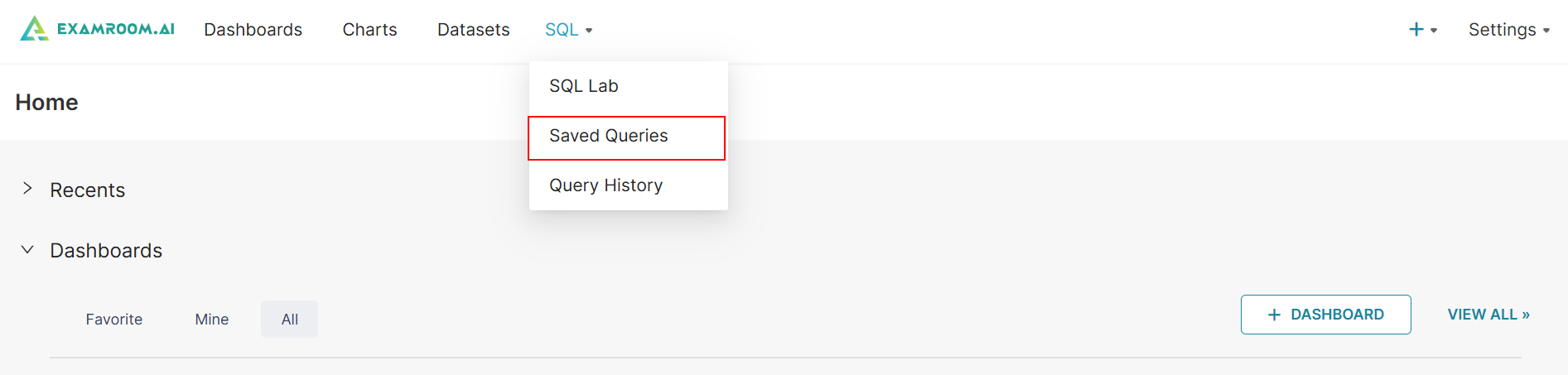
- Click SQL in the toolbar and select SQL Lab from the dropdown list.
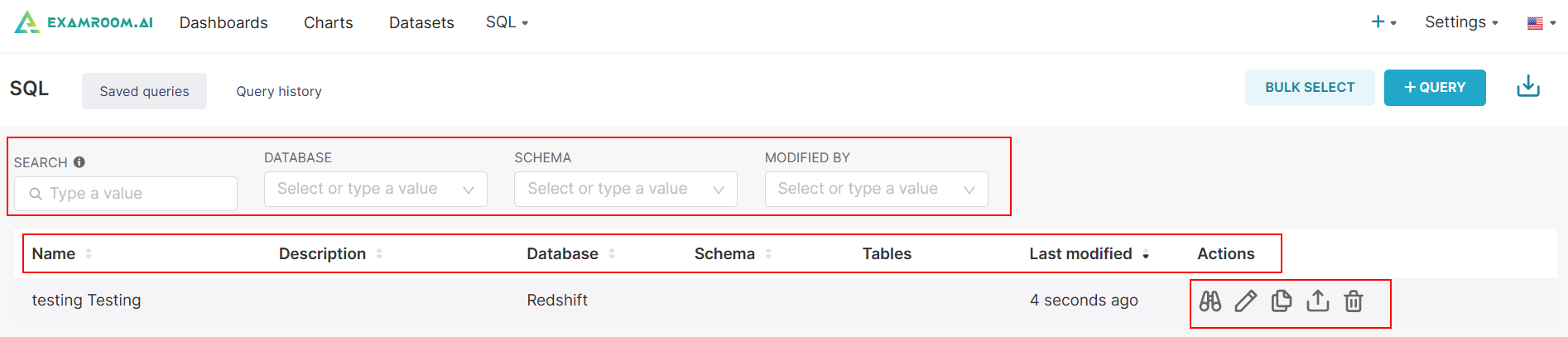
- Search or filter the list by entering the Name or by selecting the Database, Schema, and Modified By.
- Search and filter data by the following columns:
- Name: The title or identifier of the saved query.
- Description: A brief summary or notes about the saved query.
- Database: The database associated with the saved query.
- Schema: The schema in which the query operates or pulls data from.
- Tables: The tables referenced or involved in the saved query.
- Last Modified: The date and time when the saved query was last updated.
- Actions: Available operations to manage Preview, Edit, Copy, Export, and Delete query.
- Under the Action column, you can perform the following activities:
Query Preview to view the query saved.
Copy Query URL to copy the query URL.
Delete the saved query.
Export the saved query into a CSV file.
Edit to edit the database.
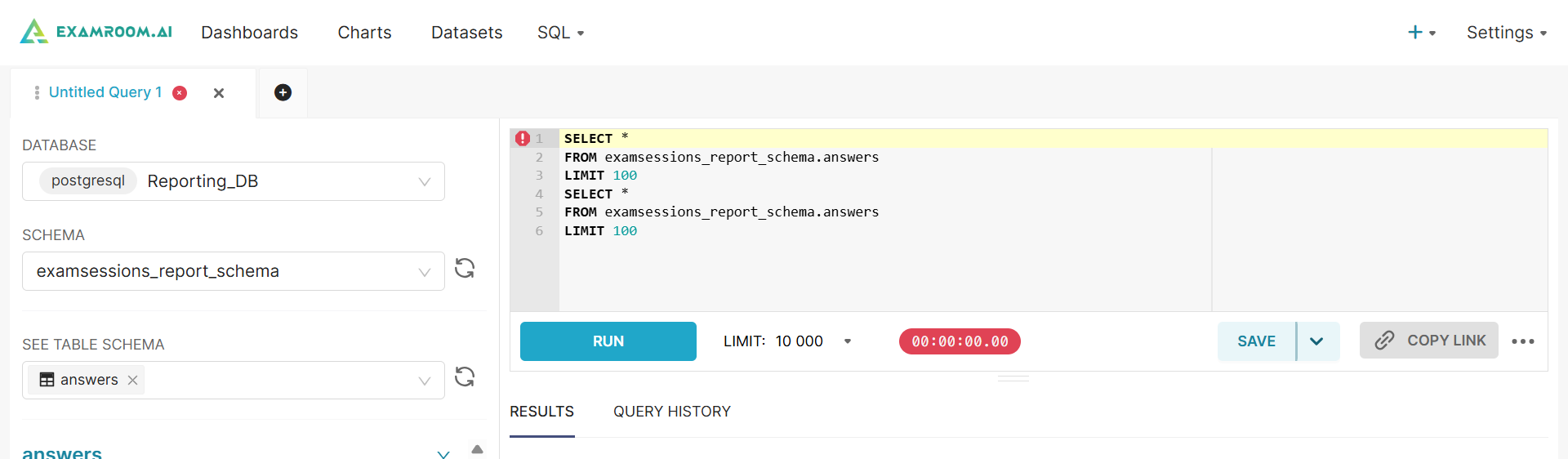
- To edit the query in SQL Lab. For more information, refer to Section SQL Lab.