Access Workbench – From Credentia
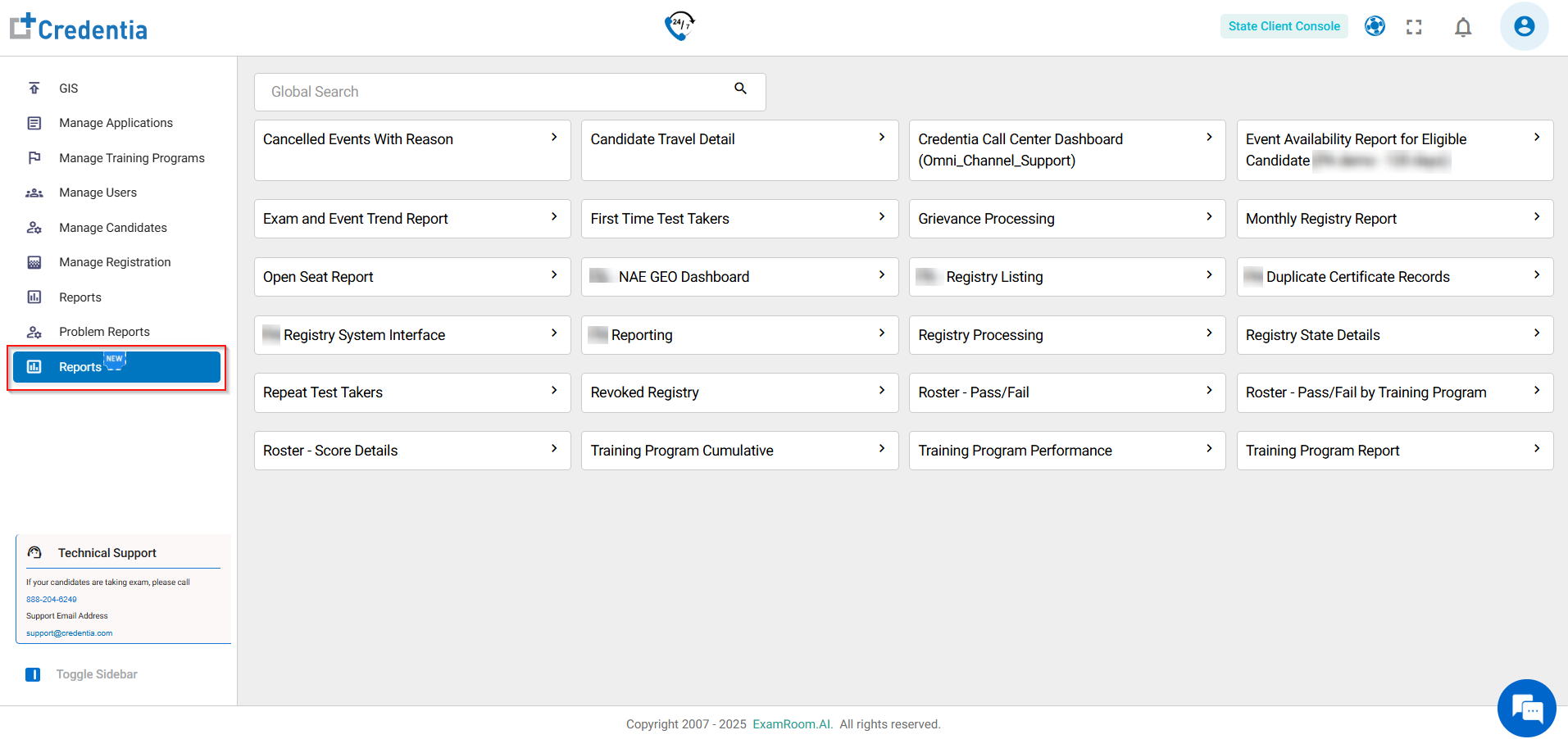
The Workbench Console offers access to preset live reports, dashboards, charts, and SQL options within the Credentia client console. Reports can be accessed with a single click (SSO login) from the Reports (new) section. To use all features, exit full-screen mode from a report view to see the top navigation tabs.
To Access the Workbench Console, follow the steps below:
- Navigate to the Credentia Platform
- Log in using your login credentials.
- Go to Reports (New)
- From the left-hand navigation menu, select Reports (new). This opens a list of preset live reports for quick access.
- Select a Report
- Choose any report from the quick access list (e.g., "Both - Pass Fail Roster").
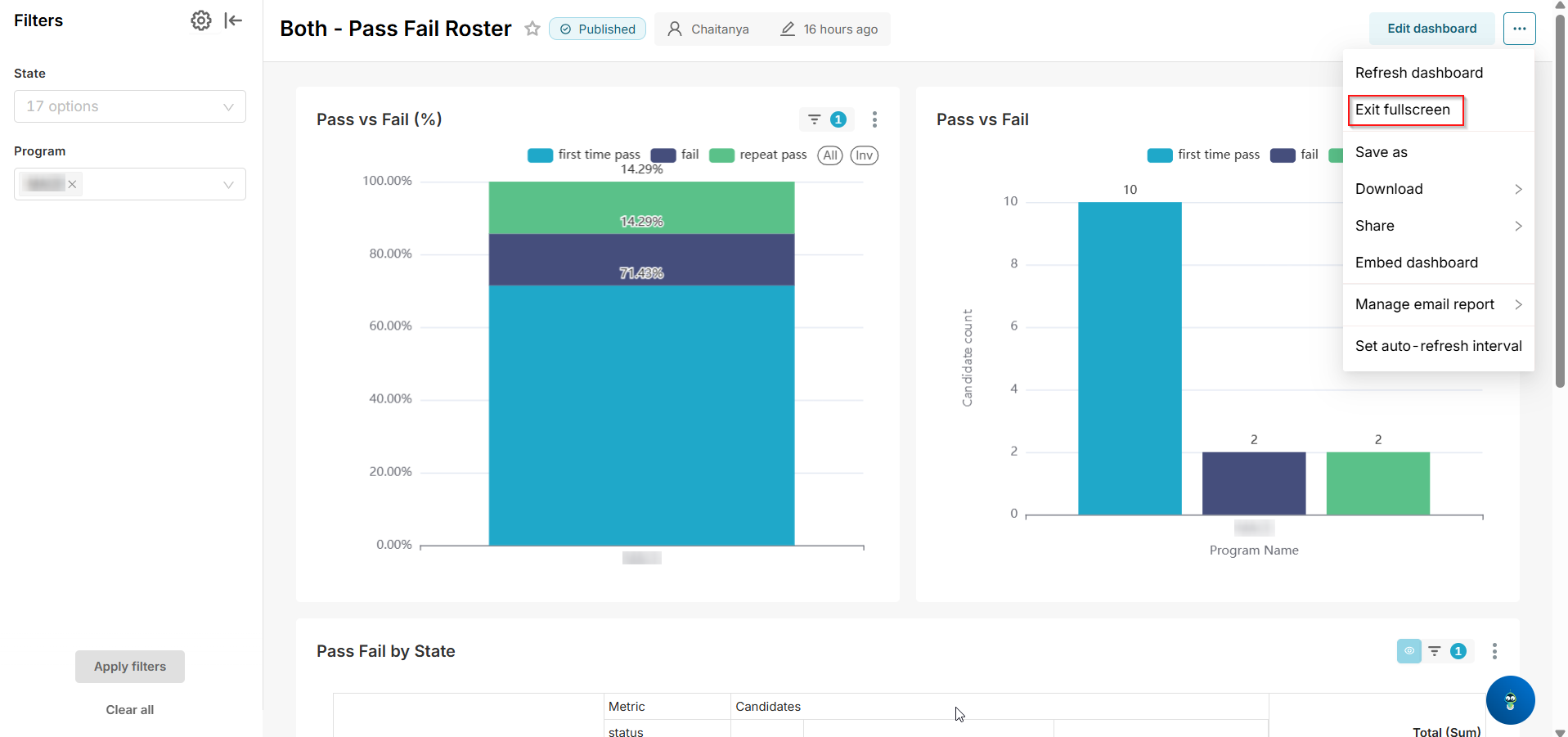
- A new tab will open, displaying the report in the Workbench view (initially in full-screen mode).
- Exit Full-Screen Mode for Full Access
- In the open Workbench tab, click the More options icon (three dots, typically in the top-right corner).
- Select Exit Fullscreen from the dropdown menu.
- This reveals the top navigation bar, enabling access to additional features like dashboards, charts, and SQL options.