Add New Annotation layers
To create a new annotation layer for marking significant events or notes on charts and dashboards.
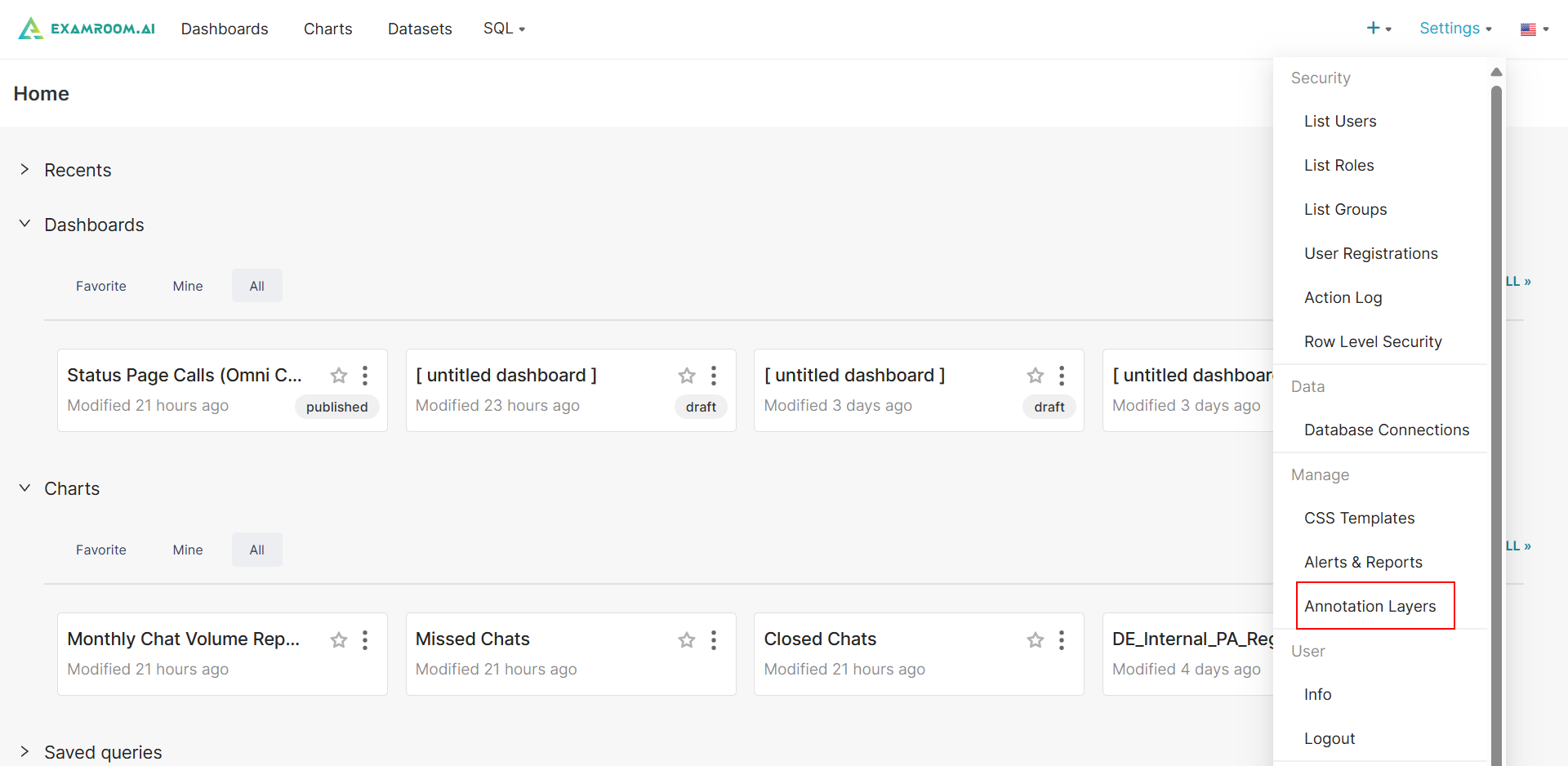
- In the Workbench, click Settings at top right corner of the screen and click Annotation Layer to navigate to the list Annotation layer section.
- Click +ANNOTATION LAYER to add a new Annotation layer.
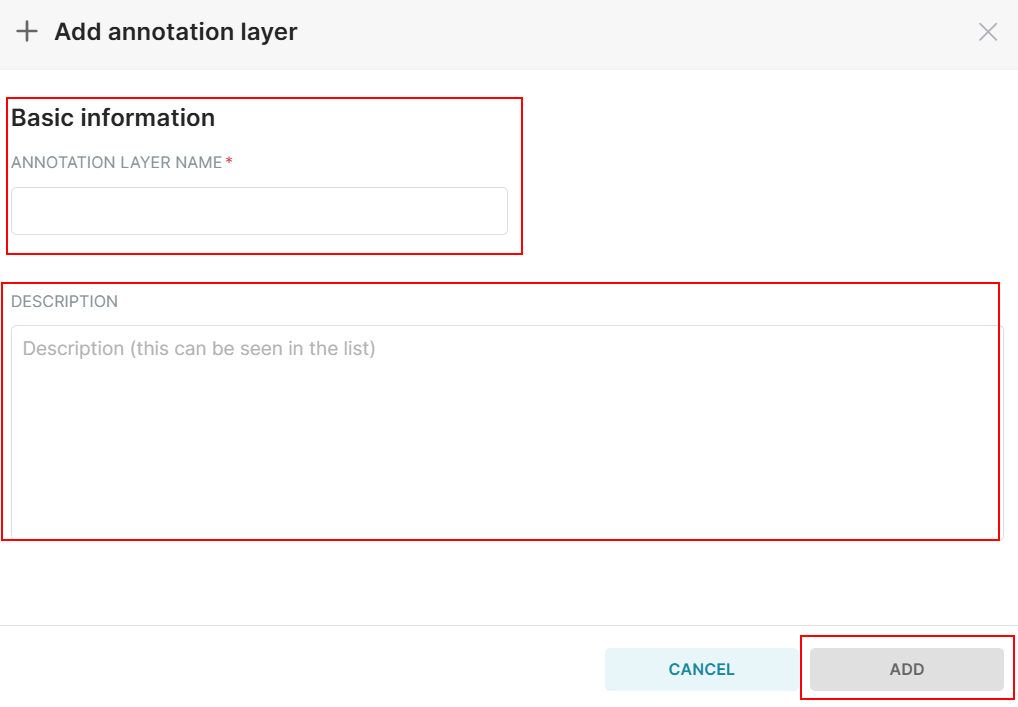
- Enter a descriptive name for the annotation layer.
- Provide a brief description of the annotation layer's purpose.
- Click Add to add a new annotation layer.