CSS Templates
The CSS Templates section allows you to upload, manage, and add CSS templates.
To add a new CSS Template, follow the steps below:
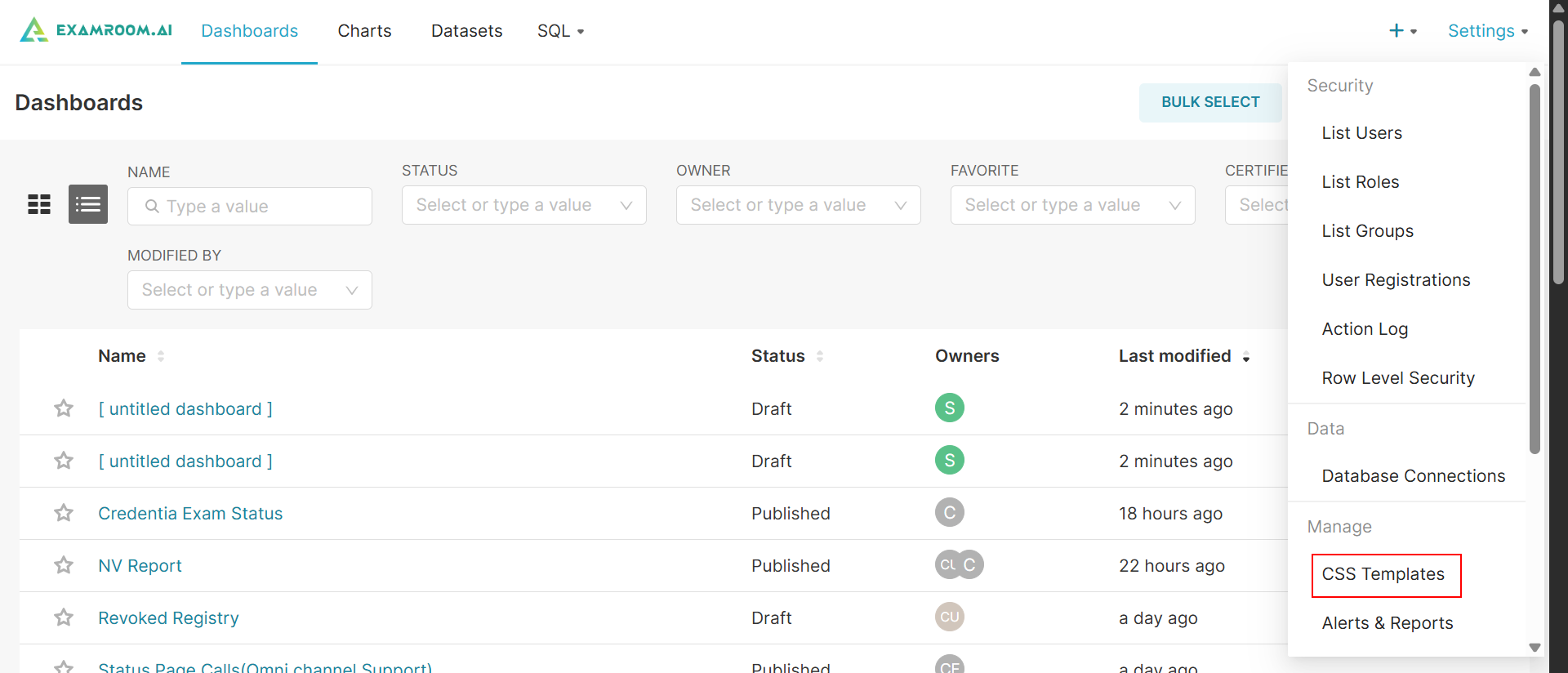
- In the Workbench, click Settings at top right corner of the screen and click CSS Template to navigate to the list user section.
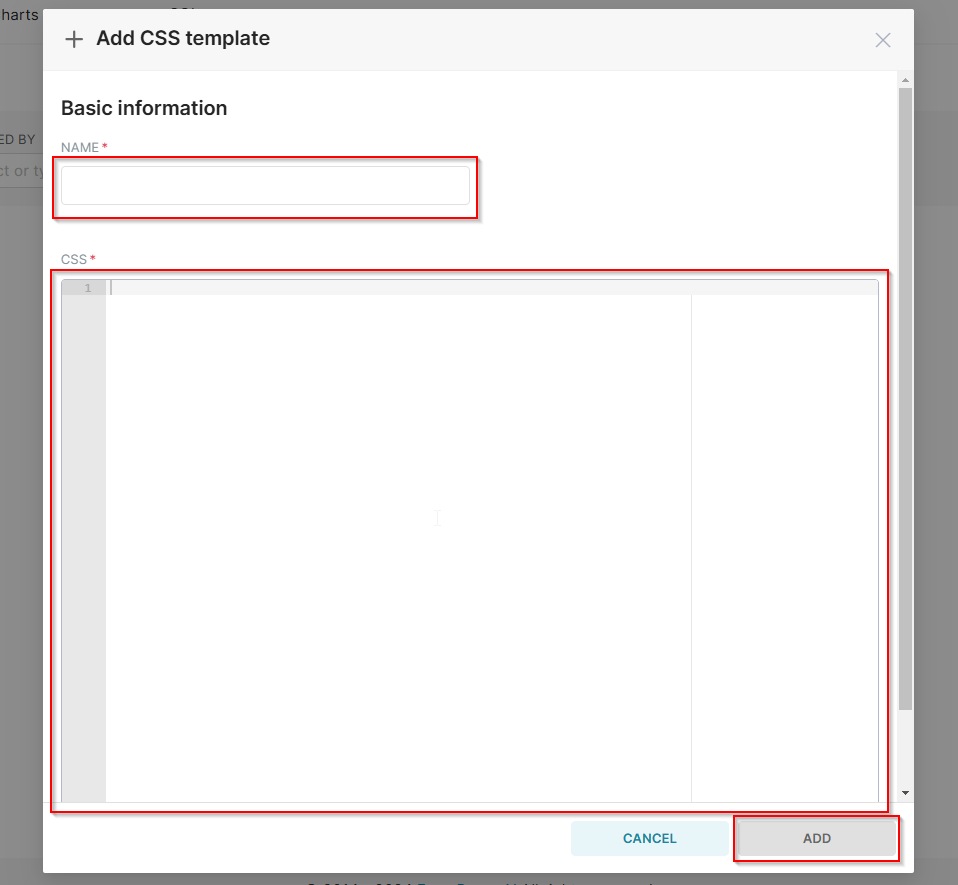
- In the CSS Template section, click + CSS Template to add a New Template.
- Enter the Name of the template in the name field.
- Add the CSS codes in the CSS field.
- Click Add to save and add the CSS Template. Click Cancel to discard and exit without saving.