List User – Workbench
You can add, view, and manage the Workbench users from the List Users section.
View and Edit User Records
To view and edit the user records, follow the steps below:
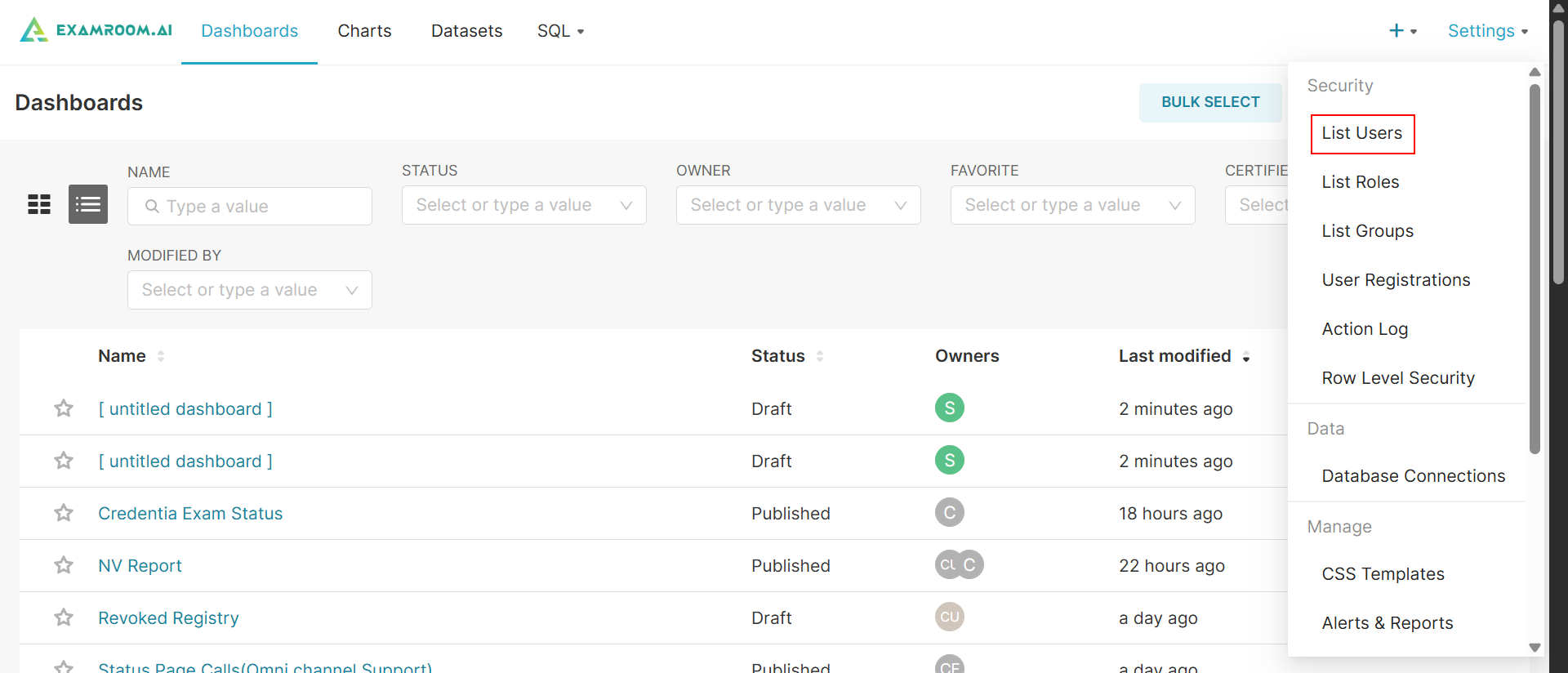
- In the Workbench, click Settings at top right corner of the screen and click List Users to navigate to the list user section.
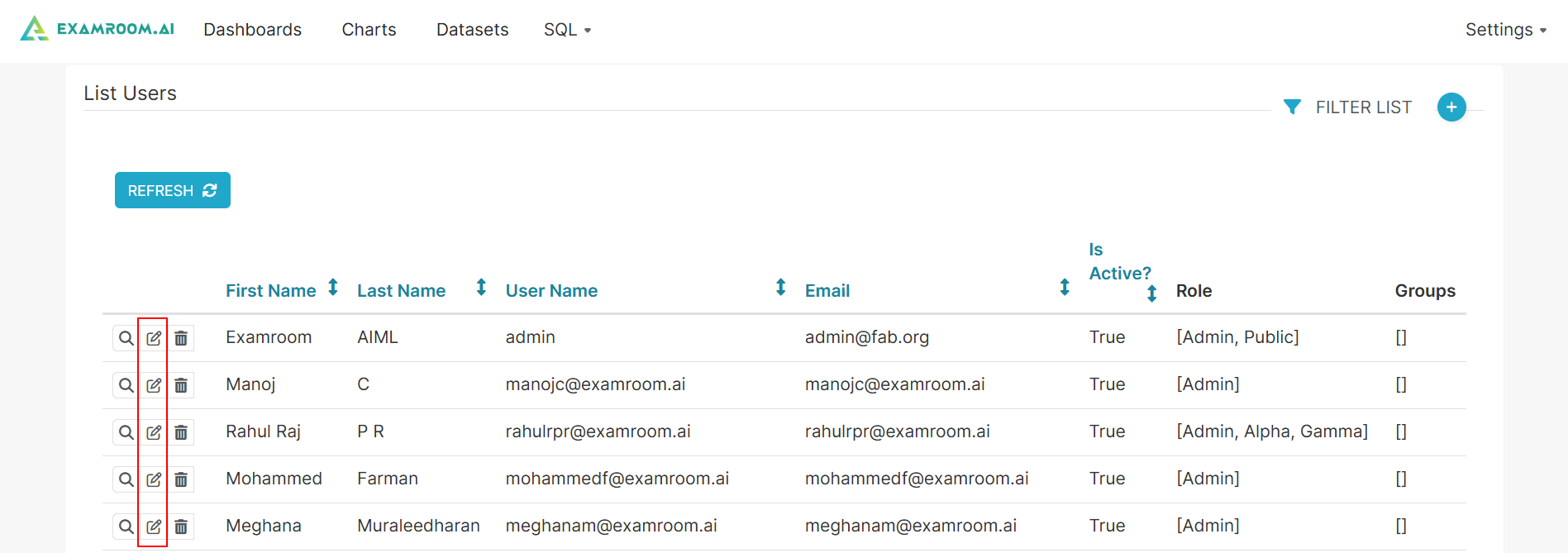
- In the List Users section, you can view all the existing users in the Workbench with their details including Name, Username, Email, Active Status, and Assigned Role.
- To edit the user record, click the Edit Record icon provided at the left side of the table column.
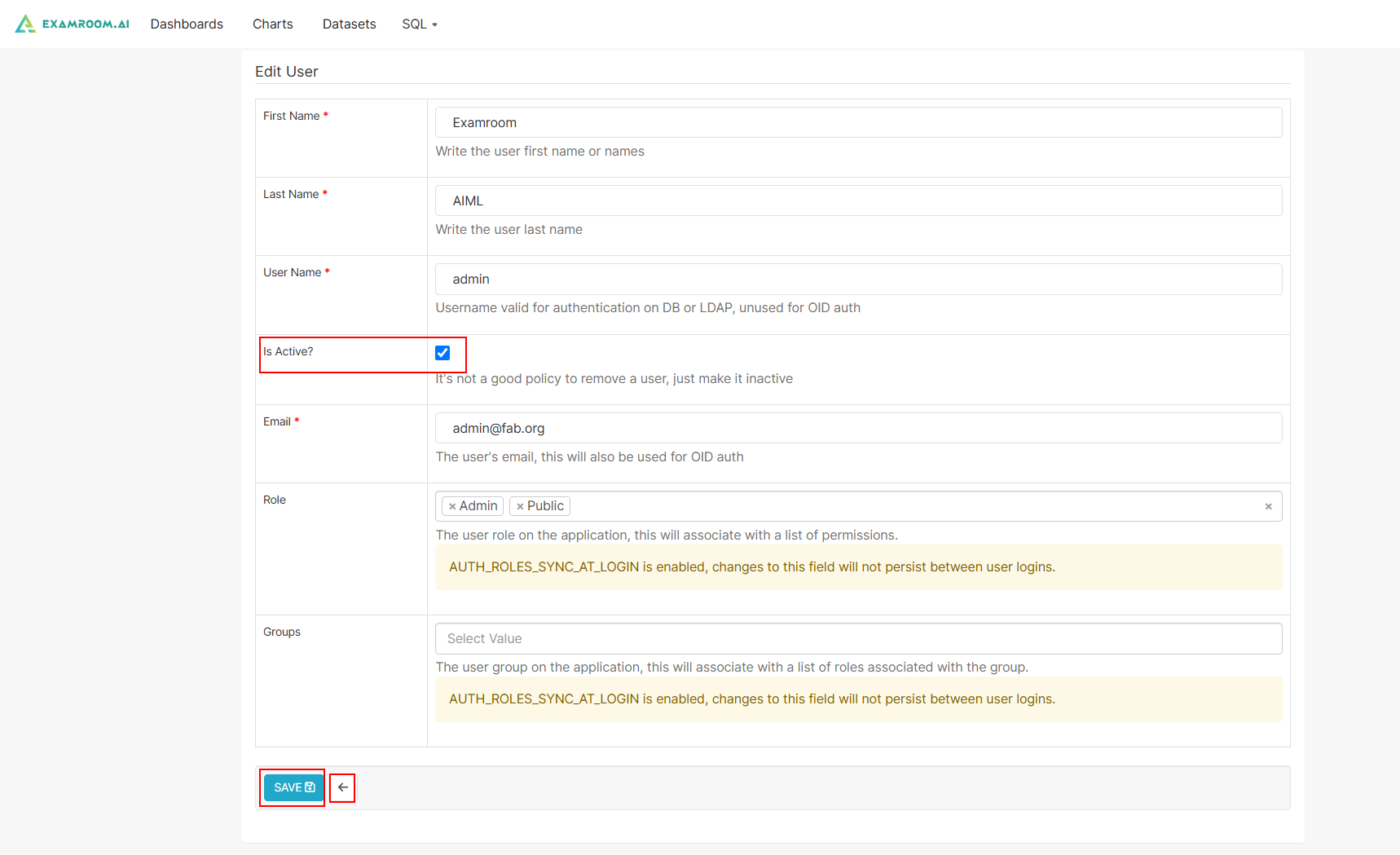
- Update the user record details and modify the user permissions by updating the roles.
- Under the Is Active? column, you can update the user status to active or inactive.
- Click the Save button to save the changes. Otherwise, click Back to return to the previous page without saving.